1
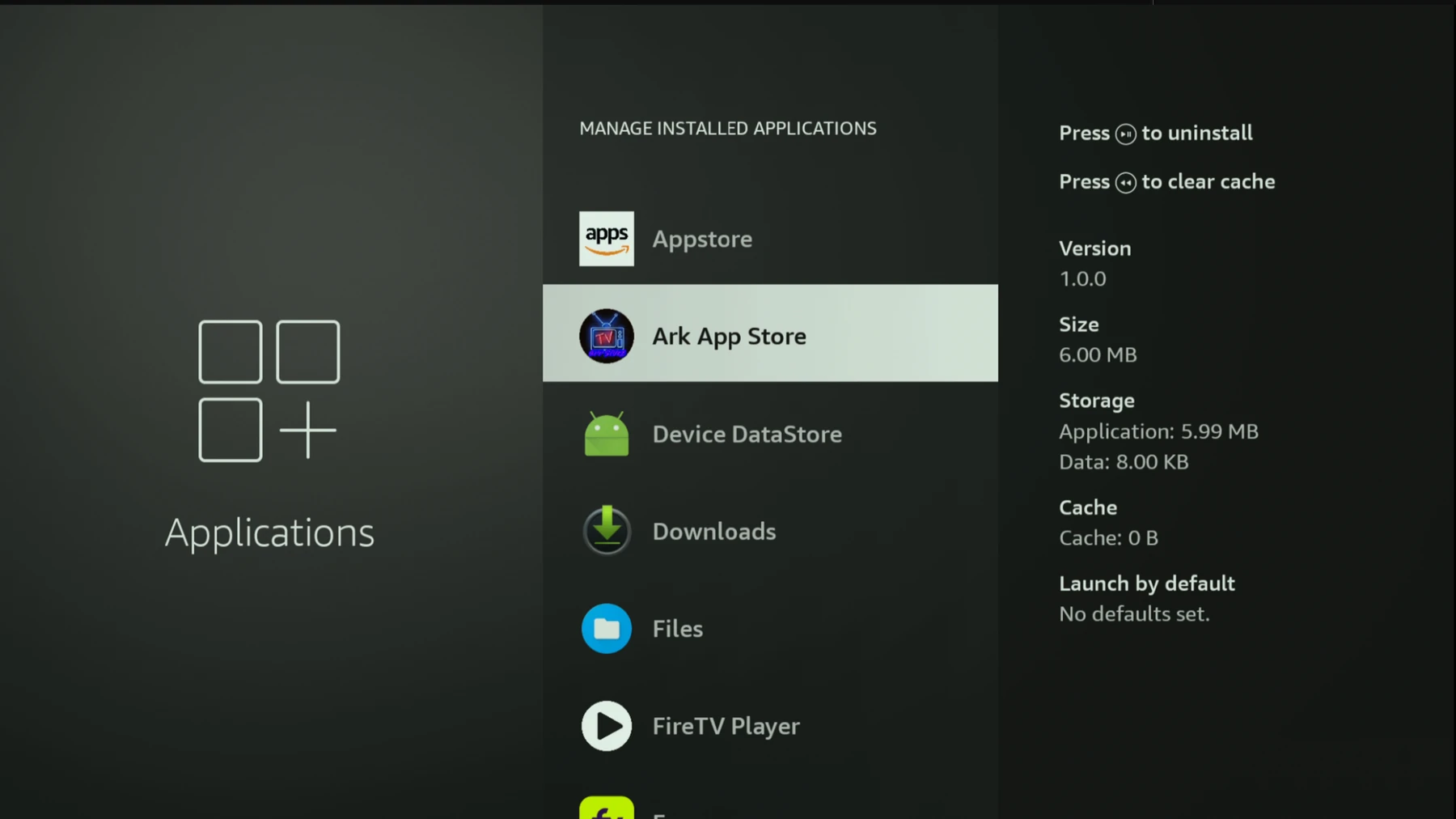
Open the ARK App Store
Find ARK App Store on your device and open it.
If you do not see it on your home screen, open your Apps list and look for ARK App Store.
 Click to enlarge
We want to thank everyone for sticking with us through the server attack. The EPG in Vice TV is fixed, but it will take a bit longer for it to work on all your devices.
This is a great time to install our other TV guide, ViceDirect. Guide listings are already back in there.
Find ARK App Store on your device and open it.
Click to enlarge
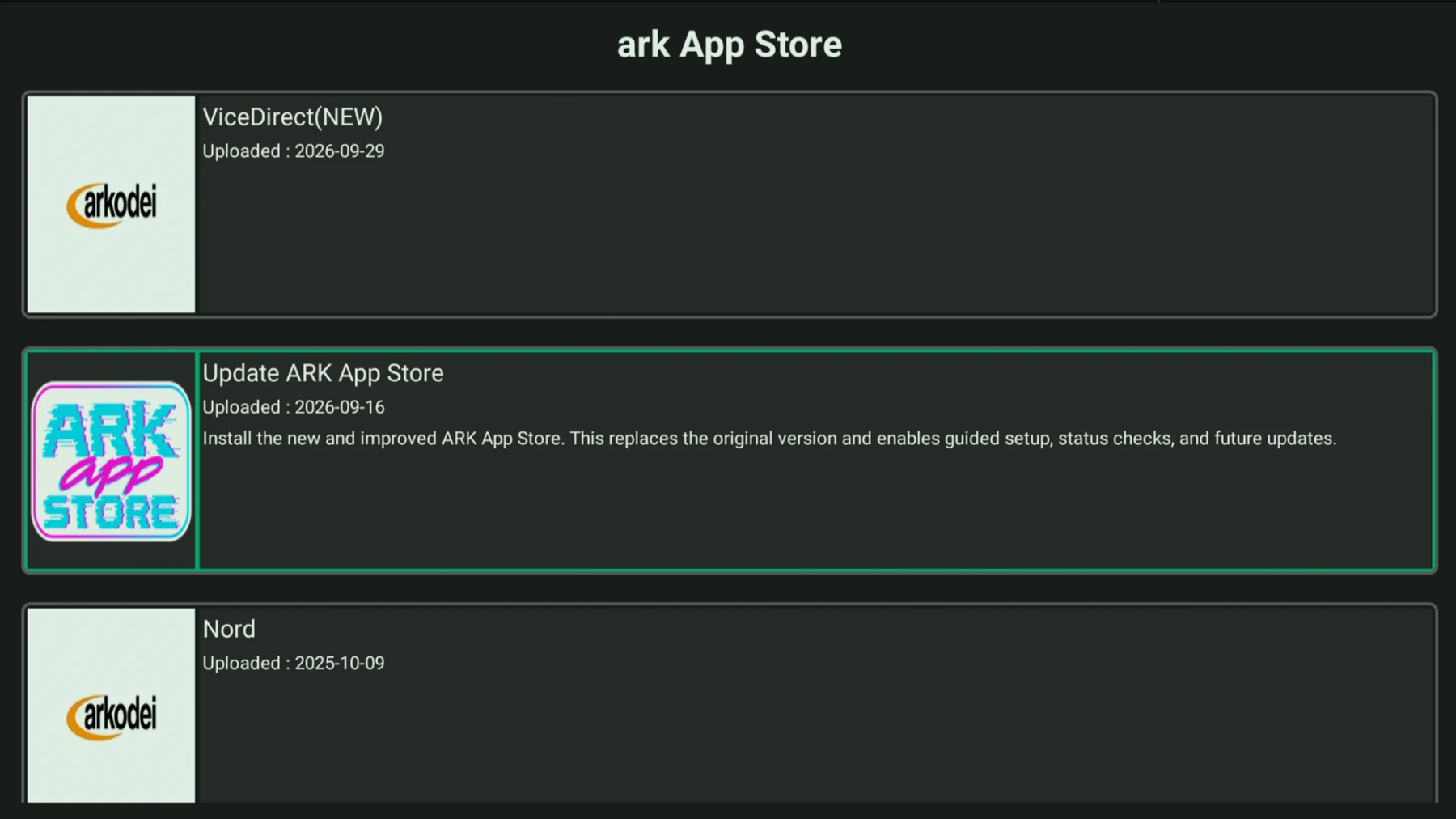
Click Update ARK App Store, install the update, then choose Open.
 Click to enlarge
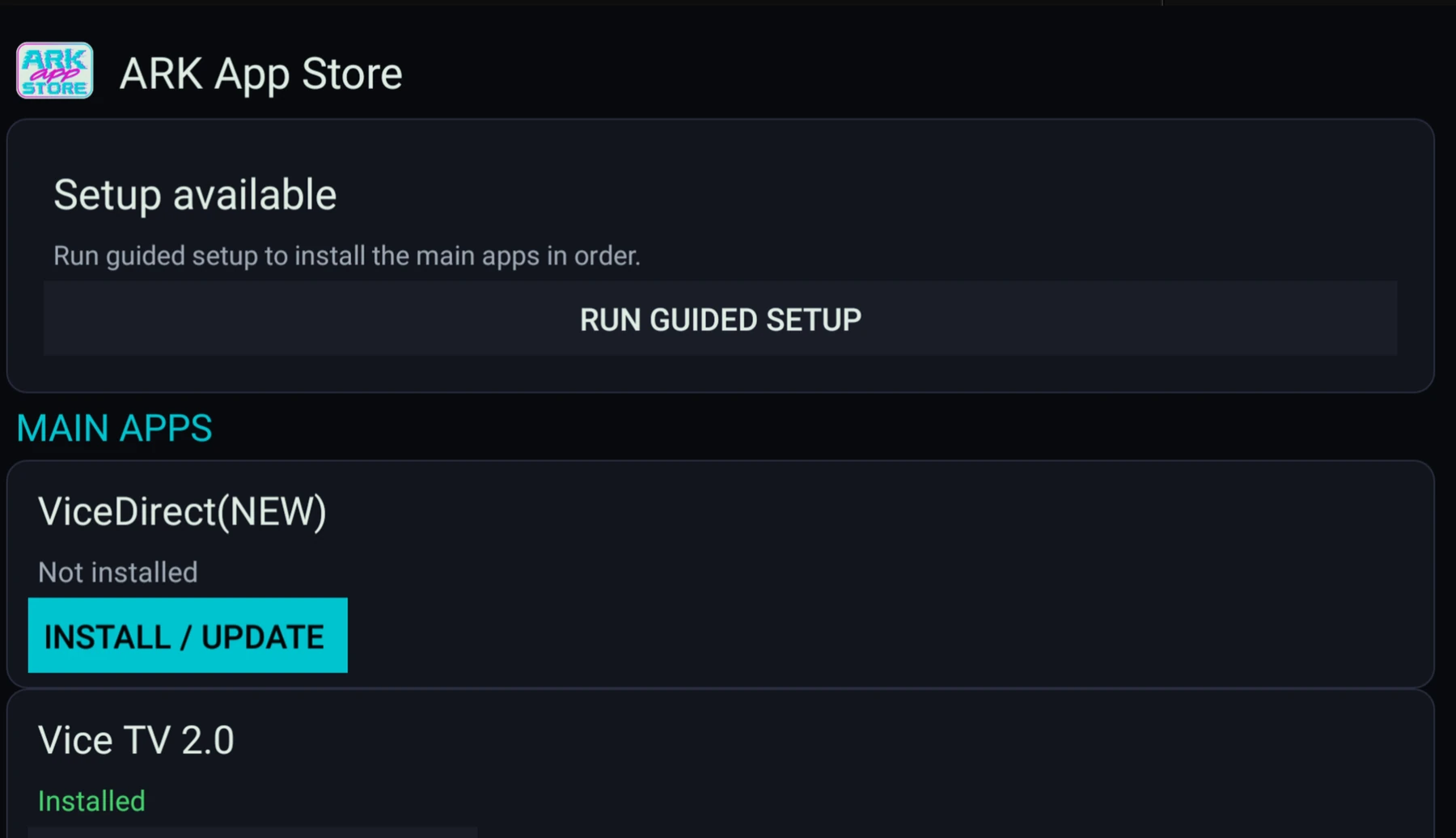
In the new ARK App Store, find ViceDirect(NEW) and click Install / Update.
 Click to enlarge
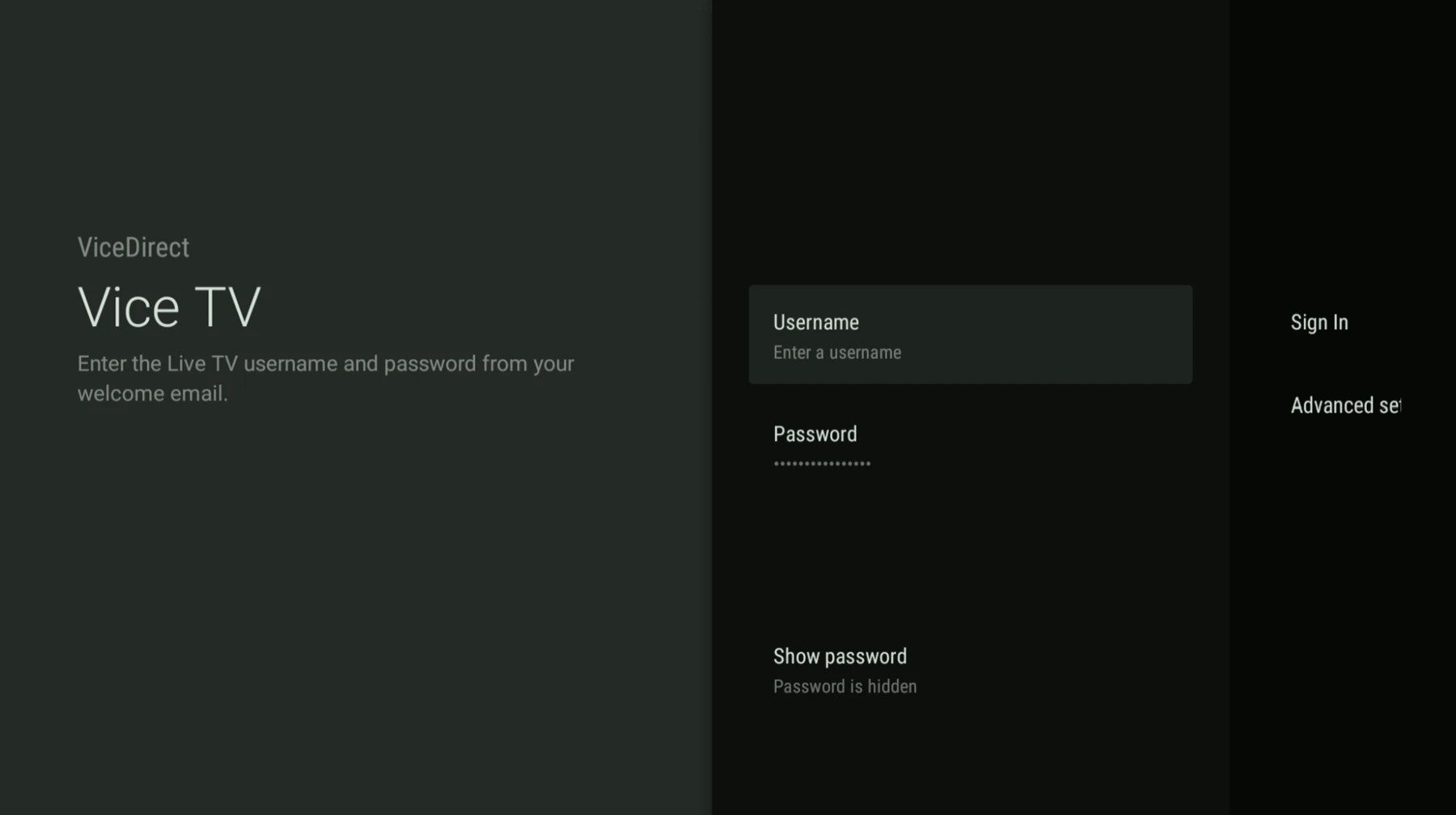
Enter your Live TV username and password. These are the same Live TV credentials from your welcome email.
 Click to enlarge